

Every sheet named, numbered and filed.
Drop a 300-page drawing set. Jemboro reads every title block, names each sheet, sorts them into trade folders and builds your drawing register — in about a minute.
Download the free trial first, then buy a key to unlock everything. Your key arrives by email.
From one giant PDF to a filed set
No templates to set up and no regions to draw. Jemboro finds the title block on its own.
Drop the set
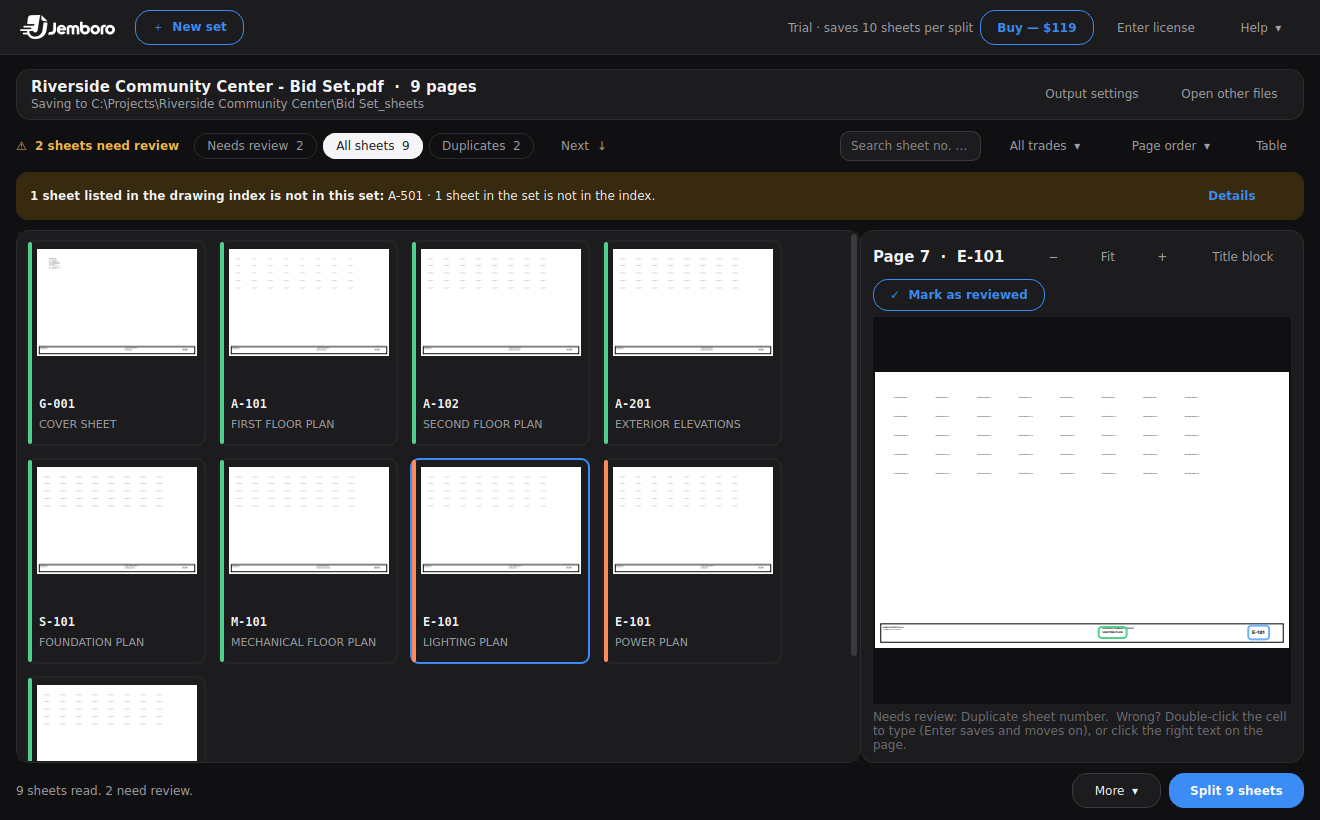
One PDF or several — architectural, structural and MEP together. Rows appear as each page is read.
Check what was read
A zoomed preview shows exactly where each sheet number and title came from.
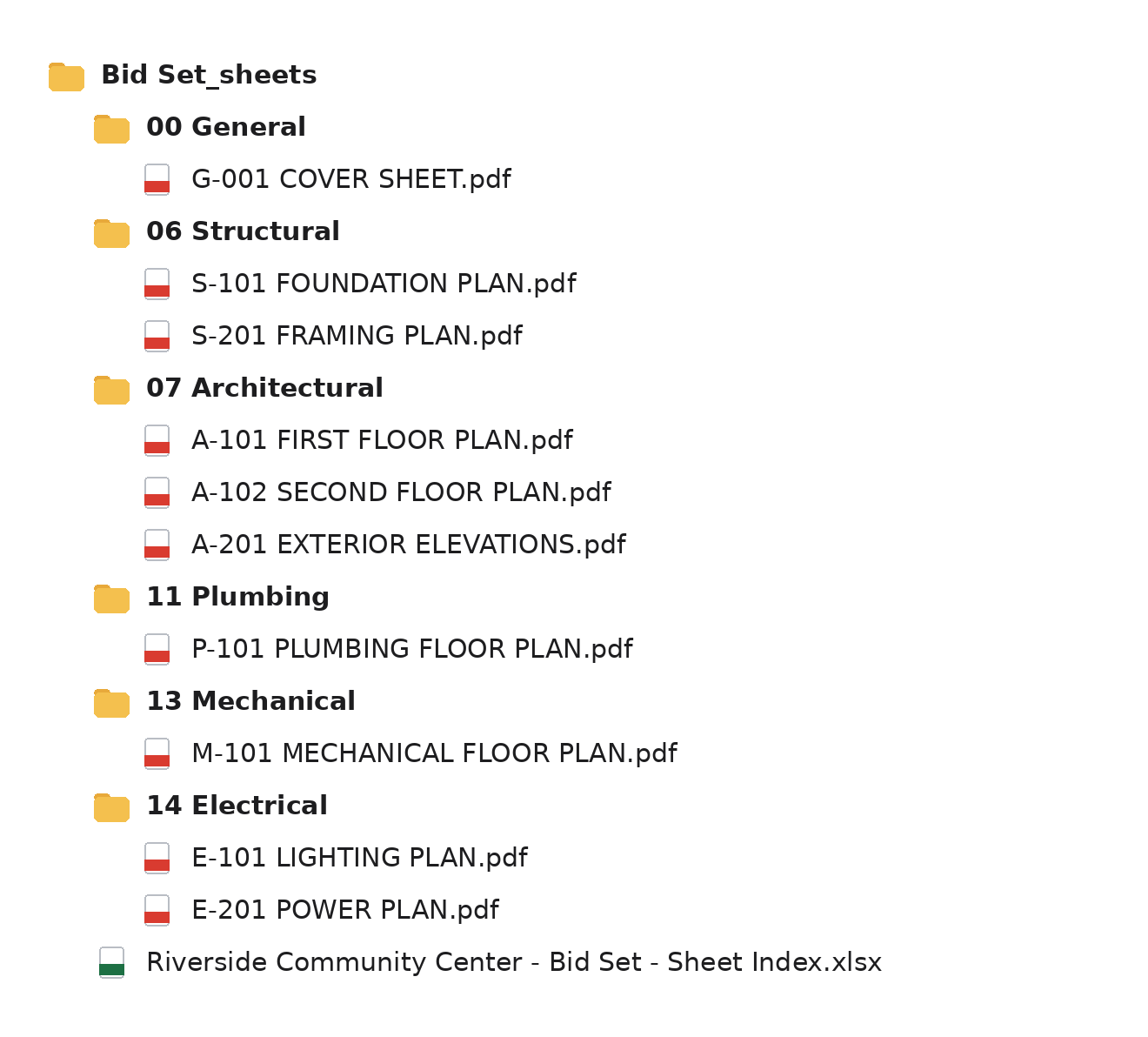
Split & file
One click writes A-201 EXTERIOR ELEVATIONS.pdf into 07 Architectural, and so on for every sheet.
Built for how drawing sets really arrive
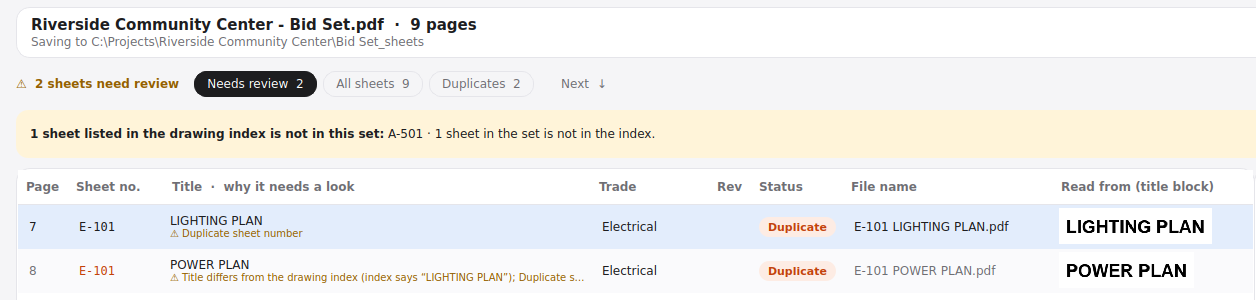
Messy title blocks, addenda, scanned pages, missing sheets. Jemboro handles the parts that eat your morning. Anything it isn't sure about is flagged for you to check before saving.
Named from the sheet itself
Sheet numbers kept exactly as printed — US, UK ISO 19650, dotted or numeric. Bookmarks from Revit and AutoCAD are used when present.
One click corrects the set
If a title was misread, click the right text on the preview and apply it to every sheet. Jemboro remembers that architect next time.
Checks the drawing index
Reads the index on the cover sheet and warns when a listed sheet isn't in the set — before you find out at bid time.
Revisions replace old sheets
Drop an addendum and revised sheets take over. Old versions move to a _Superseded folder, never deleted.
File names your portal accepts
Presets for e-permit uploads: sheet number only (A-101.pdf) or A-101_FLOOR_PLAN.pdf, or your own
pattern. No spaces or special characters, and a length limit if the portal asks for one.
Drawing register in one click
Sheet number, title, revision, date and discipline for every sheet, ready to send. Prefer one file? Get a combined PDF with a bookmark for every sheet.
Got a drawing set Jemboro misread? Email it to [email protected] and we'll use it to improve the next version.
Your drawings stay on your computer
Client drawings are often under NDA. Jemboro runs offline and does all its work on your PC — your files are never uploaded anywhere online. No cloud account, no tracking. It works on a plane.
Light and dark mode follow Windows. Keyboard-friendly: N jumps to the next sheet
that needs a look, Ctrl+F searches, Ctrl+Z undoes anything.
One price. Yours for good.
No subscription. Try it free on your own drawings first.
- Unlimited sheets and sets
- Drawing register (Excel) and combined PDF
- Drawing index check and addenda handling
- Free updates
- One named user, on your own computers
Questions
I already have Bluebeam. Why Jemboro?
Bluebeam can label pages, but you draw capture regions again for every package and sort the output yourself. Jemboro finds the title block on its own, files sheets into trade folders, checks the drawing index and handles addenda.
Is it cloud-based?
No. It runs fully offline. It only checks online for new versions, and never sends drawings or file names.
Does it work with scanned drawings?
It works best with PDFs exported from CAD (AutoCAD, Revit). On scanned pages, sheet numbers are read with built-in OCR and every one is flagged for you to check before saving — scans are slower and less exact than CAD PDFs.
What if it gets a sheet wrong?
Anything Jemboro isn't sure about is flagged, with the reason, and listed first. Fix it in the table or mark it as reviewed — nothing is saved until you click Split.
What drawing numbers does it understand?
US styles like A-101, A1.01, E 201 and FP-101, and UK ISO 19650 numbers. Numbering it can't read on its own (like plain "101") can be fixed for the whole set with one click.
How does the trial work?
The free version reads every sheet so you can see exactly what you'd get, and saves the first 10 sheets per split. Buying unlocks everything.
Can I get a refund?
All sales are final once your license key is delivered. Try the free version on your own drawings first. This doesn't affect any refund rights you have by law or through our payment provider, Link. If something isn't working, email [email protected] — we'd rather fix it.
What will I see on my card statement?
Payments are processed securely by Link, Stripe's checkout, which also handles sales tax and VAT. Your statement shows LINK.COM* JEMBORO and your receipt says "Sold through Link".
Can my whole team use one license?
Each license is for one named user. For five or more people, email [email protected] for team pricing.
I lost my license key.
Enter your purchase email on the key recovery page and we'll send it again.
Mac?
Windows 10 and 11 for now.
Something else?
See the support page or email [email protected].